


AI Product Video - VideoMagic
4.152.00 Reviews
App Specs
- Version
- 2.2.5
- Updated On
- License
- Free
- Downloads
- 100,000+
- Developer
- BIVEX
- Categories
- Photography
- Platform
- Android
Screenshots

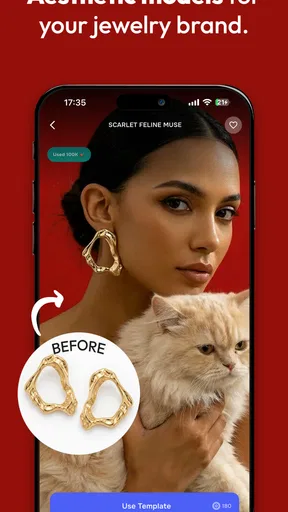
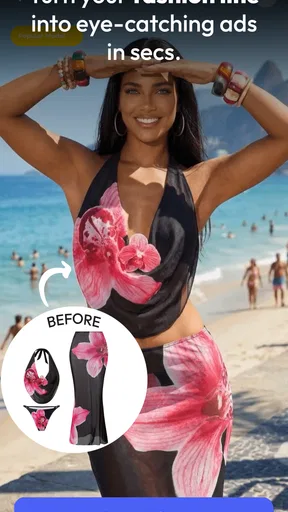
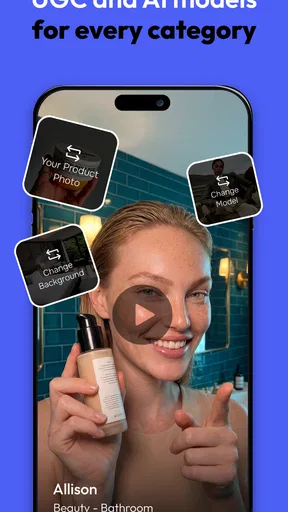
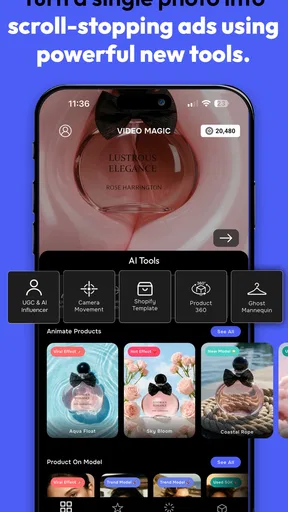
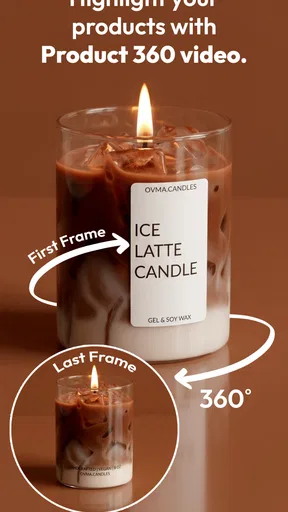
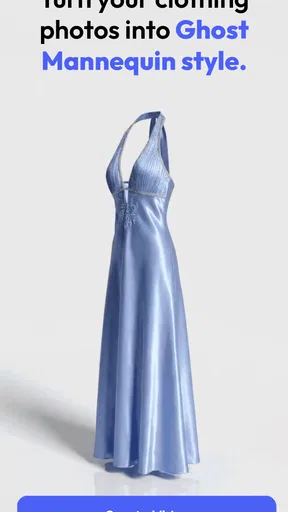
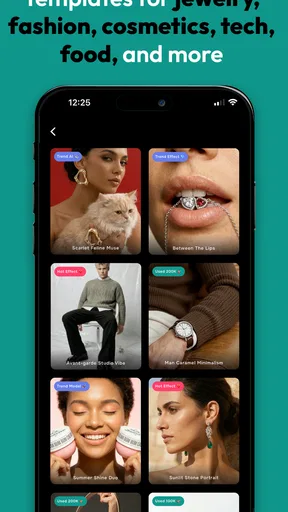
 Analysis by AppCompare
I treat AI-powered photo and video tools with a little curiosity and a little caution. They can make an ordinary image feel fresh, but they also ask you to hand over material that may be personal. AI Effect Creator - VideoMagic is a photography app from BIVEX built around turning still photos into short, effect-led videos. Its appeal is easy to understand: it aims to make a striking result without asking you to learn a full editing workflow. Whether that trade-off feels right depends on how much control you want and how comfortable you are choosing an effect for an image.
Start with the image, not the promise
The practical question I would ask before opening any AI effect app is not whether its transformations look impressive in a preview, but whether the result suits the photo I actually want to share. A portrait, a pet snapshot, and a landscape all have different visual cues. Effects that look lively on one can feel distracting or oddly mismatched on another. I’d begin with a copy of an image I’m happy to experiment with, rather than the only version of a photo I care about.
That small habit also makes it easier to compare results fairly. Keep the original beside the generated video and ask whether the animation adds something, or simply draws attention away from the subject. A strong effect should support the reason you chose the photo: a funny expression, a memorable outfit, or a particular mood. If the effect becomes the whole story, a simple crop or ordinary slideshow may be the better edit.
What trust looks like in this kind of workflow
Because the central idea is to transform photos, the choice of image matters as much as the final look. I would avoid starting with a picture that reveals an address, a school badge, a document, or another detail I would not want circulating in a social post. That is a sensible boundary for any creative app that works with personal images; it is not a claim about what this app does with them. For a first try, a non-sensitive picture makes it easier to judge the creative result without taking an unnecessary privacy risk.
I also separate what I can see from what I might assume. A store description can explain the broad creative purpose, but it does not answer every question about permissions, storage, retention, or account controls. I would check the permission prompts on my device before proceeding and grant only what the app clearly needs for the action I choose. If a prompt does not make sense to me, I would pause instead of tapping through just to reach the effects.
Make a deliberate first test
For a low-pressure trial, I’d pick one image with a clear subject and a reasonably simple background. That gives me a better chance of noticing whether the effect keeps the main subject recognizable, rather than confusing the result with a busy scene. I would preview before saving or sharing, and decide whether the motion feels natural enough for the moment I want to capture. This is more useful than judging an effect by its name or thumbnail alone.
There is also a practical difference between making something for a quick social post and preserving a family memory. A playful visual treatment can work well when the goal is to catch attention for a moment. For an image I want to keep looking at years from now, I would preserve the untouched original and treat the generated version as an extra, not a replacement. That way the creative experiment does not become the only copy of a meaningful photo.
Worth Reading Before You Choose

Flipboard Shows What News Apps Must Do Beyond the Feed

Switching to Android Auto Means Rethinking Your Driving Routine

Google Calendar Makes a Crowded Week Easier to Manage

Ludo King Makes the Most of the Minutes Between Plans

Baby Panda World Brings Quick Play to Modern Phones, but Its Game Library Feels Busy

ESPN’s Live Game View Makes Following Close Games Easier
Who may enjoy it, and who may prefer another tool
The app makes the most sense for someone who already has a photo in mind and wants to see it turned into a more animated, eye-catching piece without building an edit from scratch. It may suit casual creators, people making a quick post for friends, or anyone who enjoys trying visual treatments for fun. If you want detailed control over every cut, transition, layer, and sound choice, a conventional video editor is usually a better fit. If you only want to improve a still image, a dedicated photo editor is likely to offer a more direct route.
That distinction helps set expectations. An AI effect is a shortcut to a particular kind of transformation, not a substitute for every photography or video task. I would not choose this app as my main tool for a carefully paced event recap or a project where exact timing and consistent color are essential. For those jobs, a timeline-based editor makes it easier to inspect each decision and revise individual parts. VideoMagic is more appealing when experimentation and speed matter more than fine-grained editing.
Getting Started with VideoMagic
First things first, downloading and setting up the AI Effect Creator - VideoMagic app is a breeze. Available on both Android and iOS, you can grab it from the respective app stores. Once installed, you’re greeted with a clean and intuitive interface that doesn’t overwhelm you with too many options right off the bat. Perfect for someone like me who can get easily confused with too many buttons!
Features That Stand Out
The app boasts some seriously cool features. The AI-driven effects are a game changer. You can transform your ordinary videos into cinematic masterpieces with just a few taps. The app uses artificial intelligence to analyze your video and suggest effects that would enhance it. It’s like having a mini Spielberg in your pocket!
Another highlight is the vast library of filters and effects. From vintage vibes to modern aesthetics, there’s something for everyone. And the best part? You can preview these effects in real-time, so you know exactly how your video will look before finalizing it. No more second-guessing!
Editing Made Easy
One of the things I absolutely love about VideoMagic is its user-friendly editing suite. Trimming, cutting, and merging clips is as easy as pie. The app also allows you to add music directly from its built-in library or your personal collection. Syncing music to match the tempo of your video is super simple, thanks to the app’s intuitive design.
But wait, there’s more! If you’re into captions and subtitles, VideoMagic has got you covered. The app supports multiple languages and offers a variety of fonts and styles to choose from. You can even adjust the duration and timing of your text to perfection. Talk about attention to detail!
Sharing Your Creations
Once you’ve crafted your masterpiece, sharing it with the world is a piece of cake. VideoMagic offers seamless integration with popular social media platforms like Instagram, TikTok, and Facebook. You can also save your videos in high resolution directly to your device. So whether you’re sharing with your followers or just keeping it for personal memories, the app ensures quality isn’t compromised.
And for those who love a bit of competition, VideoMagic hosts weekly challenges where users can submit their creations based on specific themes. It’s a fun way to showcase your skills and get inspired by others.
Costs, expectations, and a sensible trial
VideoMagic is free to download and is rated for Everyone. It has a 4.2 average from around 5,400 ratings, with over 50,000 installs. Those figures suggest that people are trying it, but they do not tell me whether a particular effect will suit my photos or whether the available options match my taste. I’d use the first session to judge the actual workflow and results rather than treating popularity as a guarantee.
The app includes in-app purchases, with listed items ranging from $7.99 to $279.99. That is a wide span, so I would check the exact purchase screen and what it offers before committing to anything. A free download does not mean every effect or capability will necessarily be free. If I only wanted to test one photo, I would avoid starting a purchase flow until I understood its terms and felt sure the result was worth paying for.
A useful everyday test might be a birthday photo you want to send to a group chat. I’d choose a picture where the person’s face is clear, try a restrained effect, and preview it before sharing. If the transformation makes the moment more playful, it has done its job; if it changes the mood or makes the subject hard to recognize, I’d keep the original and send that instead. The point is to make the photo more enjoyable, not to force every memory into an animated format.
For a social post, I’d also consider the audience and context before using a dramatic effect. Something that catches the eye in a casual feed might feel out of place in a professional update or a sensitive family moment. I would export or share only after checking the finished version at normal viewing size, because a preview can make motion feel more appealing than it looks when watched in a feed. A quick final check for unintended visual changes is a better safeguard than assuming the first result is ready.
Small choices that improve the result
One non-obvious advantage of testing a clean, uncluttered image first is that it helps separate the effect’s behavior from the source photo’s complexity. If a result looks awkward on a busy group shot, I would not immediately conclude that every effect is poor; I’d try a single-subject image before deciding. Conversely, if the app only feels convincing with a very specific kind of photo, that limitation matters when choosing whether to keep it for regular use.
I’d also avoid judging several effects while changing the source image each time. Reusing one photo for a short comparison gives a clearer sense of how much the treatment itself changes the mood. Once I find a style that works, I can try it on a different picture to see whether it is flexible or merely a one-off success. This simple workflow saves time and helps prevent a collection of effects from feeling interchangeable.
Another trade-off is convenience versus authorship. An AI-led treatment may create a look quickly, but the result can feel less personal than an edit built from deliberate choices. If I’m making a post that needs a consistent visual identity, I’d rather use a tool that lets me repeat exact settings and control the full composition. For spontaneous sharing, though, a fast experiment can be more enjoyable than spending time tuning every detail.
What to check before you commit
On Android, the current version is 1.4.5 and the minimum operating system is 7.0. I would still check compatibility on the device I plan to use, since a minimum OS requirement does not guarantee that every phone will handle an image workflow in the same way. If processing feels slow or the preview is not representative, I would try a smaller, non-sensitive photo first rather than repeatedly feeding the app important images.
Before saving a result, I’d make sure I know where I want the finished file to go and whether I am comfortable sharing it through the route offered in the moment. Saving locally for a quick look is a different decision from posting publicly. Those choices belong to me, and I should be able to stop at preview if I am not ready to share. I would also review any account or permission prompts as they appear, instead of assuming that a creative app needs broad access by default.
There are around 40 written reviews, which is a smaller pool of detailed feedback than the rating count might suggest. I’d treat individual comments as clues about people’s experiences, not as a reliable prediction of my own. The most relevant questions for me are concrete: does the effect preserve the face or subject I care about, does the finished file suit the place I intend to use it, and am I comfortable with the choices the app asks me to make? Those are better reasons to continue or stop than a general impression of buzz.
Final Thoughts
In a world where content is king, having a tool like AI Effect Creator - VideoMagic is invaluable. It’s perfect for both beginners and seasoned editors, offering a range of features that cater to different needs. The blend of AI-driven effects and user-friendly editing tools makes it stand out from other apps in the market.
If you’re looking to elevate your video content without spending hours on editing, give VideoMagic a shot. It’s fun, efficient, and most importantly, it lets your creativity shine. So what are you waiting for? Dive into the magic of video editing and create something amazing today!
My cautious recommendation
I’d approach VideoMagic as an optional creative extra, not as a place to store or manage every important photo. Its core idea is appealing when I want a quick visual experiment, but I would keep originals elsewhere and make sharing decisions one step at a time. The app is free to install, yet the purchase range is broad enough that I would read each offer carefully before spending. A short, low-stakes trial is the fairest way to decide whether its effects suit your style.
Overall, I’d recommend giving it a try if you enjoy turning a familiar photo into something more animated and are comfortable checking permissions and purchase prompts as you go. I’d skip it if you need precise, repeatable editing, want to work only with still-image adjustments, or do not want to experiment with personal photos in an AI-centered workflow. For me, that is the sensible line: use it when the playful result is worth the trade-off, and choose a more controlled editor when the image or the project deserves exact handling.
Pros
- User-friendly interface for easy navigation.
- Wide range of AI effects available.
- Fast rendering and export times.
- Regular updates with new features.
- Supports high-resolution video editing.
Cons
- Occasional crashes on older devices.
- Limited free features without subscription.
- In-app ads can be intrusive.
- Large app size may require more storage.
- Some effects require a strong internet connection.
FAQs for AI Product Video - VideoMagic
What is AI Effect Creator - VideoMagic, and how does it work?
AI Effect Creator - VideoMagic is a cutting-edge app that allows users to enhance their videos using AI-driven effects. Utilizing advanced machine learning algorithms, the app analyzes your video content to apply stunning effects seamlessly. It's designed for both casual users and professionals looking to add a creative touch to their videos.
Is AI Effect Creator - VideoMagic free to use?
AI Effect Creator - VideoMagic offers a free version with basic features and effects. However, to access premium features and a wider range of effects, users can opt for a subscription model. This ensures you can tailor your experience based on your needs and budget.
What are the system requirements for AI Effect Creator - VideoMagic?
To run AI Effect Creator - VideoMagic smoothly, you need a device with iOS 11.0 or later, or Android 8.0 and above. The app is optimized for both smartphones and tablets, but for best performance, ensure your device has sufficient storage and RAM.
Can I share my edited videos directly from the app?
Yes, AI Effect Creator - VideoMagic provides seamless sharing options. Once you've finished editing your video, you can directly upload it to social media platforms such as Instagram, TikTok, or Facebook. Alternatively, you can save the video to your device for later use.
Does AI Effect Creator - VideoMagic support multiple video formats?
The app supports a variety of popular video formats, including MP4, AVI, and MOV. This versatility allows users to import videos from different sources and ensures compatibility with most playback devices and platforms.


